
GTM intelligence workspace
Know what your competitors changed.Answer it the same day.
Swiv watches your competitors’ sites, scores every change, and drafts the reply — objection handler, deal brief, comparison page — with sources attached.
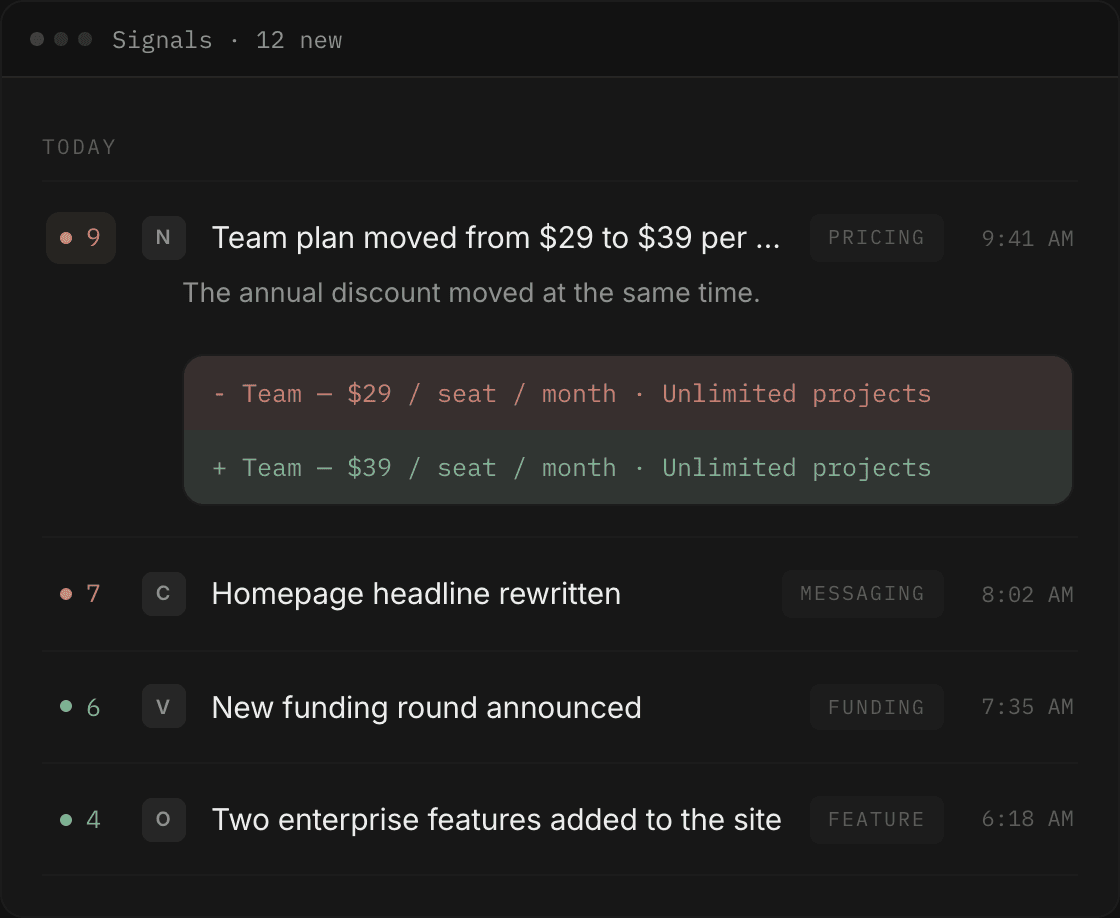
The loop
Most competitive work dies in the gap between noticing and writing.
Swiv closes it. A change is detected, scored and diffed. One click on that change opens a draft that already knows which competitor, which headline, and what you sell. The draft, and the change behind it, get filed together.
Signals detect the change
Swiv crawls the sites of the competitors you track and records what moved: pricing, messaging, features, funding, hiring, reviews. Each change gets a significance score and a before/after diff of the exact copy that changed. Newest first, grouped by day.
competitor monitoring feed
Ask writes the response
Every change carries a Draft a response button. It opens an Ask thread with the competitor and the headline already filled in. The draft streams into a document pane beside the chat. Ask for a shorter version and you get v2 — the old version doesn’t disappear.
four preset drafting agents
Library keeps the evidence
Save any signal, article, competitor page or finished draft to a board. Boards are a freeform canvas: drag cards, add headings, put your own take next to the evidence. When the page behind a saved card changes, the card tells you, and shows you what changed.
boards that flag stale evidence
Ask
Four drafts you stop writing from scratch
These four ship with Swiv today. Each one asks for the minimum it needs and writes against your Brain.
| Draft | You give it | It gives you |
|---|---|---|
| Objection handler | The objection a prospect just raised, and which competitor | A reply that concedes what's true about them first, reframes on your strengths, and closes with an honest split: when the prospect should stay with them, when they belong with you |
| Deal prep brief | The competitor, and optionally the call date | One page a rep reads before the call: where the competitor will come up, where they're vulnerable, a talk track, and a “watch for” note on anything that changed recently |
| Positioning draft | The audience you're writing for | A headline, a subhead, and the reasoning: which strength it leans on, and which competitor comparison it deliberately avoids |
| Comparison page | The competitor | A structured us-vs-them page that's fair about what they do well, then lays out the gap in your favour, ending with a suggested call-to-action line |
Brain
Your positioning, not a generic model’s
Before it writes anything, Swiv reads your Brain: your positioning, who you sell to, how you sound, and where you win and lose. It is a short form, filled once.
The factors you lose on matter most — drafts use them to avoid inviting comparisons you can’t win. Fill it once. Every draft after that is filtered through your positioning and tone.
What the Brain holds
- Positioning statement
- Your ICP
- Tone
- Factors you lose on
- …and a few more
Half-fill it and the drafts come out generic. The Brain says so on its own screen.
Competitors
Track a competitor with a name and a URL
That’s the whole setup.
Swiv maps their site, reads the pages it finds, and builds a profile — how they position, who they sell to, how they price, what they claim — then researches the company itself: funding, size, and recent coverage. You watch each stage complete while it runs.
- Company
- Northbeam
- Website
- northbeam.io
What Swiv does not do
It doesn’t guess. Every answer and every draft cites the pages it read, numbered inline, with links you can open. Every detected change shows the line that was removed and the line that replaced it. If the evidence under something you saved changes later, Swiv flags the card instead of quietly letting you quote a page that no longer exists.
An alert ends at the notification. This one ends at a draft you can send.
Start with one competitor
Add the rival you lose to most. Swiv builds their profile, starts watching, and shows you the first change it finds. Everything else in Swiv works off that.