
Library & Boards
Boards are how you group what matters
File a change, an article, a competitor page or a finished draft onto a board — then arrange it however the argument reads.
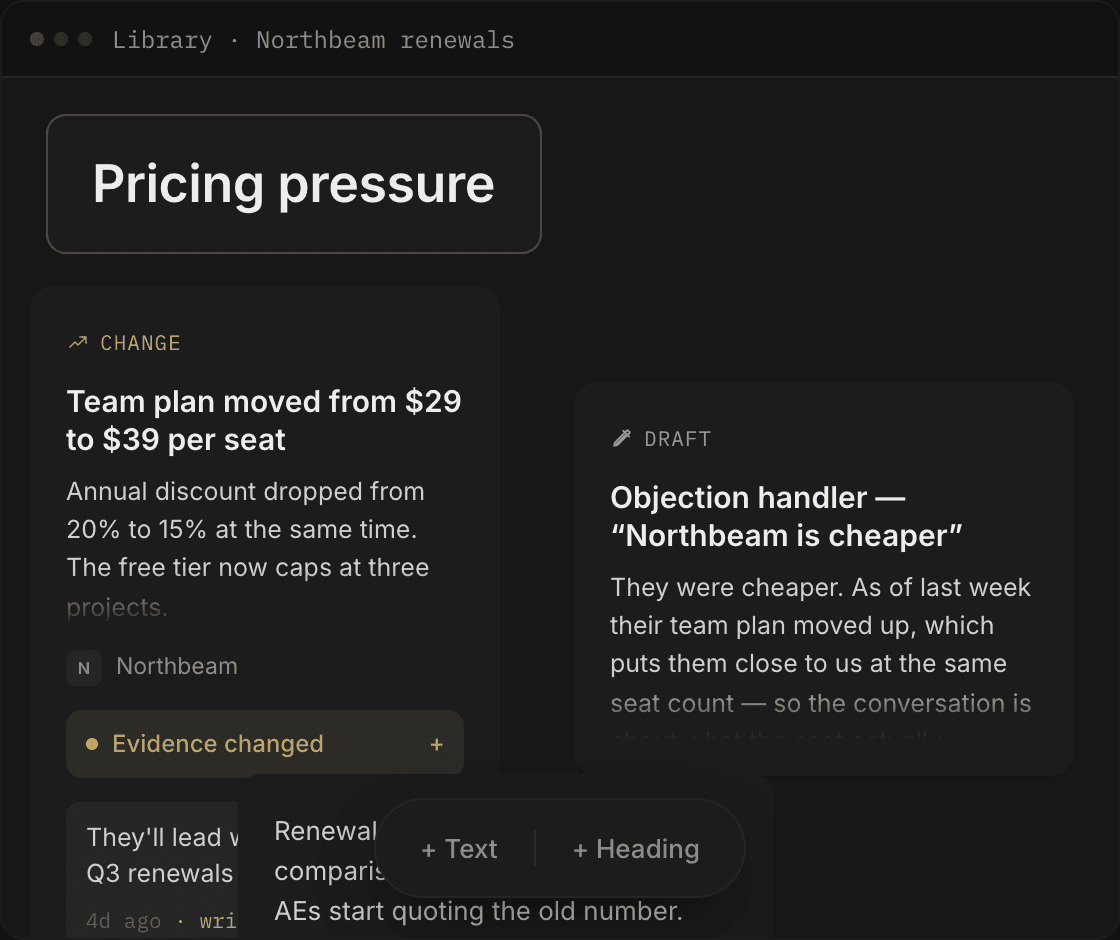
One save affordance
Save anything, from anywhere in Swiv
The same + Save to board control follows you around Swiv — wherever you find something worth keeping, it saves onto a board without breaking your train of thought.
- Change
- A detected competitor change, diff included.
- Competitor page
- A page from their site as Swiv read it — the same text behind their crawled competitor profiles.
- Draft
- An agent output, at the version you saved — drafts you can save at any version.
- Note
- Something you typed.
A canvas, not a folder
A board is a freeform surface. Drag cards where you want them. Add a heading to split the board into sections. Add a text block for a paragraph that isn't evidence. Positions persist. A list forces one order onto your thinking; a canvas doesn't.
Your take, next to the evidence
Every evidence card has an + Add your take slot. Use it for the thing that isn't on the competitor's page — why this matters to you, what it means for the deal you're in. Your note is timestamped, and it sits on the card, not in a separate doc.
Staleness
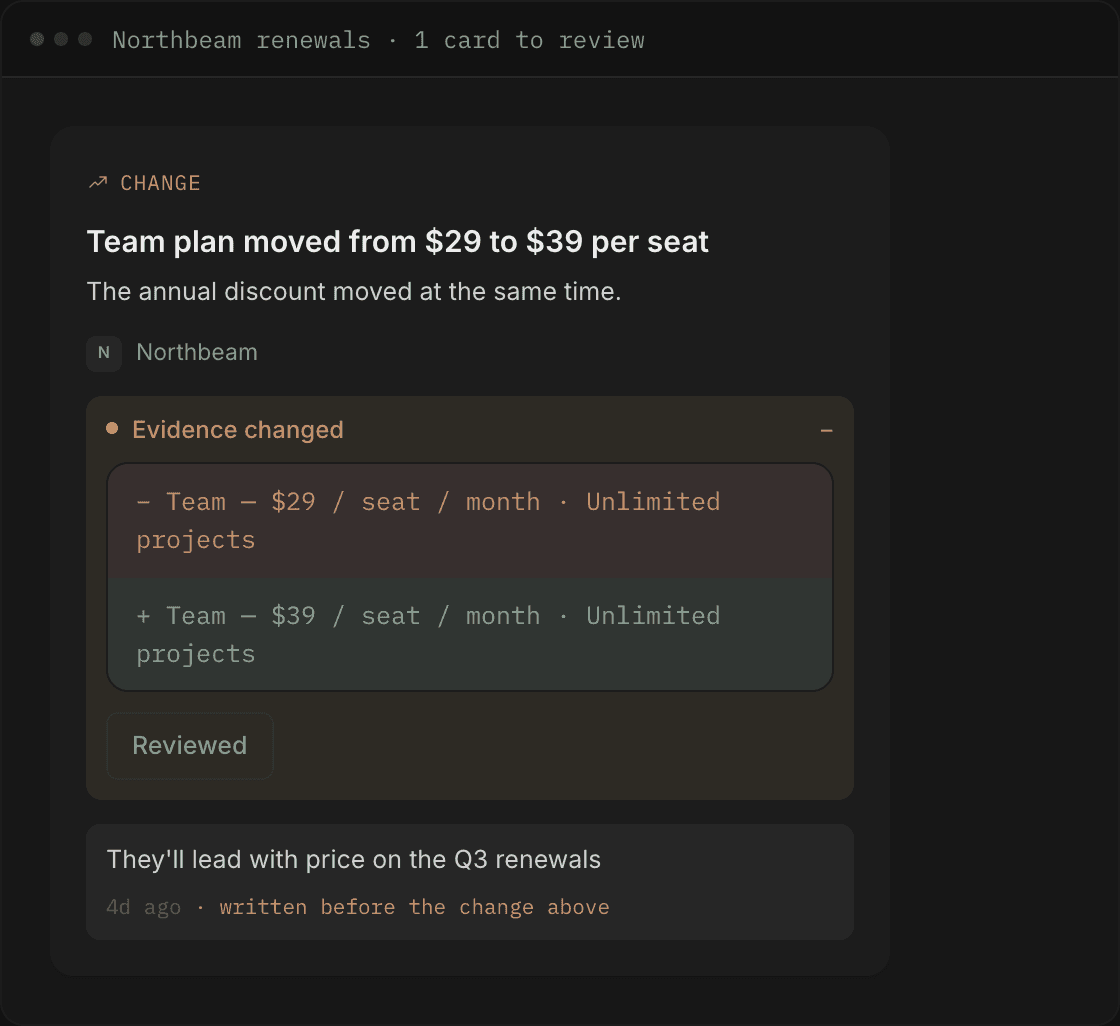
Evidence goes stale, and Swiv says so
This is the part most repositories skip. When the page behind a saved card changes, the card tells you — and it tells you what your own note predates.
The banner
The card raises an Evidence changed banner. Amber, on the card itself — not a separate inbox you have to visit.
The diff
Expand it and you get the before/after of what moved on the page behind the card.
Reviewed
Hit Reviewed when you've dealt with it. The banner clears and the card goes quiet again.
The note flag
If you wrote your take before that change landed, the note says so: written before the change above.
A battlecard quoting a price that moved last month is worse than no battlecard.
Nothing gets orphaned
Save something without picking a board and it lands in Unfiled on the Library page, where you can read it or file it onto a board later.
Deleting a board counts first
Deleting a board tells you how many items go with it before it does anything.
Where this connects
Start a board
Make one board for the competitor you lose to most. Put the pricing change, the two articles, and the objection handler on it. That's a battlecard that tells you when it's out of date.