
Signals
Everything your market did,scored and explained
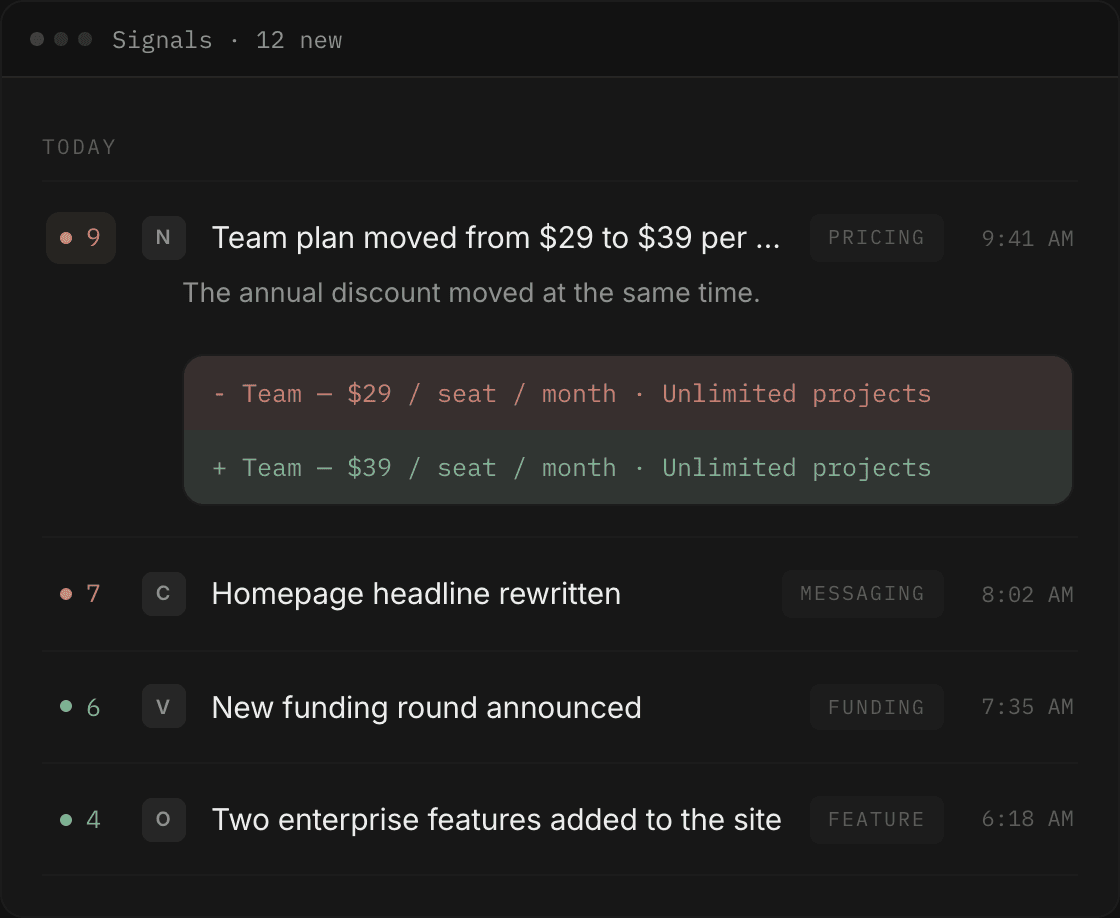
Swiv crawls the competitors you track and records what changed — with a significance score, the exact copy before and after, and a link to the source.
The evidence
The diff, not a summary of the diff
Expand a change and you get the removed line and the added line, in full, as they were on the page. Under them, the reasoning for why it was scored the way it was, and a link straight to the source domain. You never have to take Swiv's word for what a competitor said.
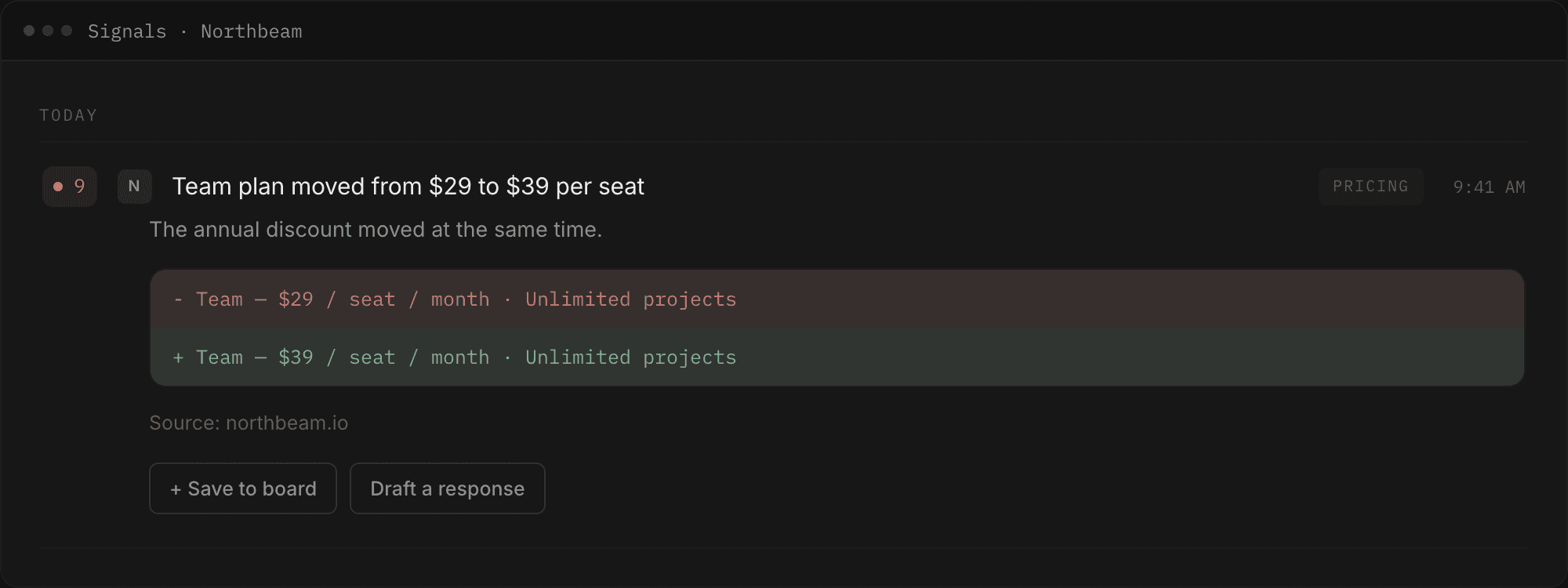
An alert ends at the notification. This one ends at a draft you can send.
Categories
The kinds of change that move a deal
Every detected change arrives sorted, so the feed reads as a set of decisions rather than a stream. These are the ones that change how you sell.
Pricing
the move that changes a live deal the fastest, and the one reps hear about last.
Messaging
when a competitor repositions, your comparison page is out of date that day.
Feature moves
what they ship, and what they staff for, tells you where they're going next.
Significance
A score, so you can ignore most of it
Every change gets a significance score. A pricing page rewrite and a blog typo are not the same event and don't look the same in the feed — the ones worth your morning are visible without reading a single row.
When you only have five minutes, filter to the high-significance changes and read those. The feed still reads chronologically — score is a filter, not the sort order, because “what happened this week” is the question you actually have.
The score is Swiv's read on how much a change matters, not a measurement. It is there so you can skip things, and the diff is always underneath it if you disagree.
The handoff
From a change to a draft in one click
Every change has a Draft a response button. It opens an objection handler with that competitor and that headline already loaded, so the first thing you type is a revision, not a setup. Or hit + Save to board and file the change as evidence for later.
You can draft a response to a change, file a change as evidence on a board, or open the profile Swiv builds per competitor. Drafts are written through your positioning and tone.
Filters
Filters that match how you actually read it
Filter by category, by competitor, by significance, or stack them. Changes group by day, newest first, so catching up after a week away is still one scroll.
- All
- Pricing
- Messaging
- Feature moves
- High significance
- All competitors
Where this connects
Watch one competitor first
Add a name and a URL. Swiv builds their profile, then starts recording what they change. The feed fills as changes are detected — nothing before that, and it says so rather than inventing activity.